Showing posts with label St Patricks. Show all posts

Sunday, March 11, 2012

Irish Meow


Animated

Click for larger view

This tutorial was written by Sharon A on March 11, 2012
For more info read my TOU

Supplies Needed
FTU scrapkit Luck O The Irish by Teresa here

The tube I used 54-2 is by Cuddly Rigor Mortis, you can purchase this tube from CDO here


Open new transparent canvas 700x700, we will resize later
Select all
Paste paper 9 into selection
Deselect

Paste flag 3 as a new layer
Resize to 88%
Add drop shadow

Paste your tube as a new layer
Add drop shadow

Skip this section if you're not going to animate
Using your freehand selection tool, select around the eyes
Add a new raster layer
Floodfill with black

Paste bowler hat 1 as a new layer
Resize to 40%
Position on the cats head
Add drop shadow

Paste bow 3 as a new layer
Resize to 25%
Position near right side of cat
Add drop shadow

Add a new raster layer
Select all
floodfill with a gold pattern or gradient
Contract selection by 12
Delete
Add inner bevel with these settings


Paste your tube as a new layer

Resize all layers to 70%

Add your text

Add your text, name & your © info

Merge all

Save as jpg & you're all done!


Animation

Hide the floodfilled eyes layer
Merge visible
Paste into animation shop

Undo your merge
Merge visible
Paste after current in animation shop

I set frame the open eyes frame to 150
The closed eyes frame 30

I hope you enjoyed my tutorial

I would love to post your © compliant result, just email it to me with the tut name in the subject line

:)


Result by Priscie


Result by Kaye W


Friday, March 9, 2012

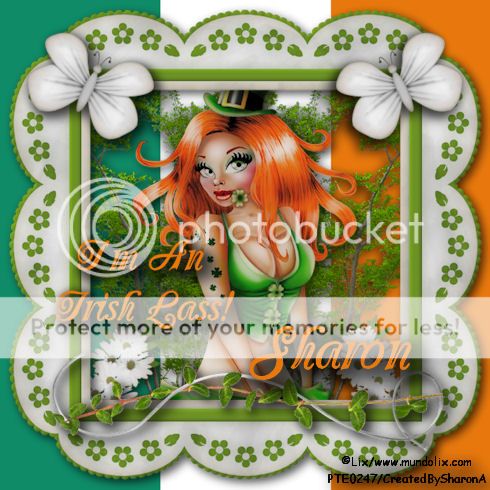
Irish Lass

Click for larger view

This tutorial was written by Sharon A on March 9, 2012
For more info read my TOU

Supplies Needed
Scrapkit Never Too Green here

Irish Flag here

Plugins
Xero Porcelain

The tube I used Patricia is by Lix, you can purchase this tube from PTE here


Open the Irish Flag
Paste your tube as a new layer
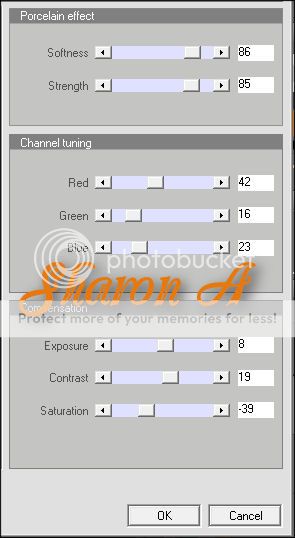
Apply Xero Porcelain using these settings


Apply drop shadow

Paste frame 4 as a new layer
Resize to 85%
Apply Xero Porcelain, same settings as above
Add drop shadow

Paste daisies as a new layer
Resize to 35%
Rotate right 20
Apply Xero Porcelain
Add drop shadow
Move to below the frame layer
Duplicate & mirror

Paste tree as a new layer
Resize to 85%
Move to below your tube layer
Move toward the left side of the frame
Erase the bottom part hanging below the frame
Add drop shadow
Duplicate & mirror

Activate your top layer

Paste leaves as a new layer
Resize to 70%
Flip & position near bottom of frame
Add drop shadow, twice

Paste butterfly 2 as a new layer
Resize to 25%
Rotate right 25
Apply Xero Porcelain using the same settings as above
Add drop shadow, twice
Duplicate & mirror

Resize all layers to 70%

Add your name & your © info

Merge all

Save as jpg & you're all done!

I hope you enjoyed my tutorial

I would love to post your © compliant result, just email it to me with the tut name in the subject line

:)


Result by Kaye W


Result by Priscie


Thursday, March 8, 2012

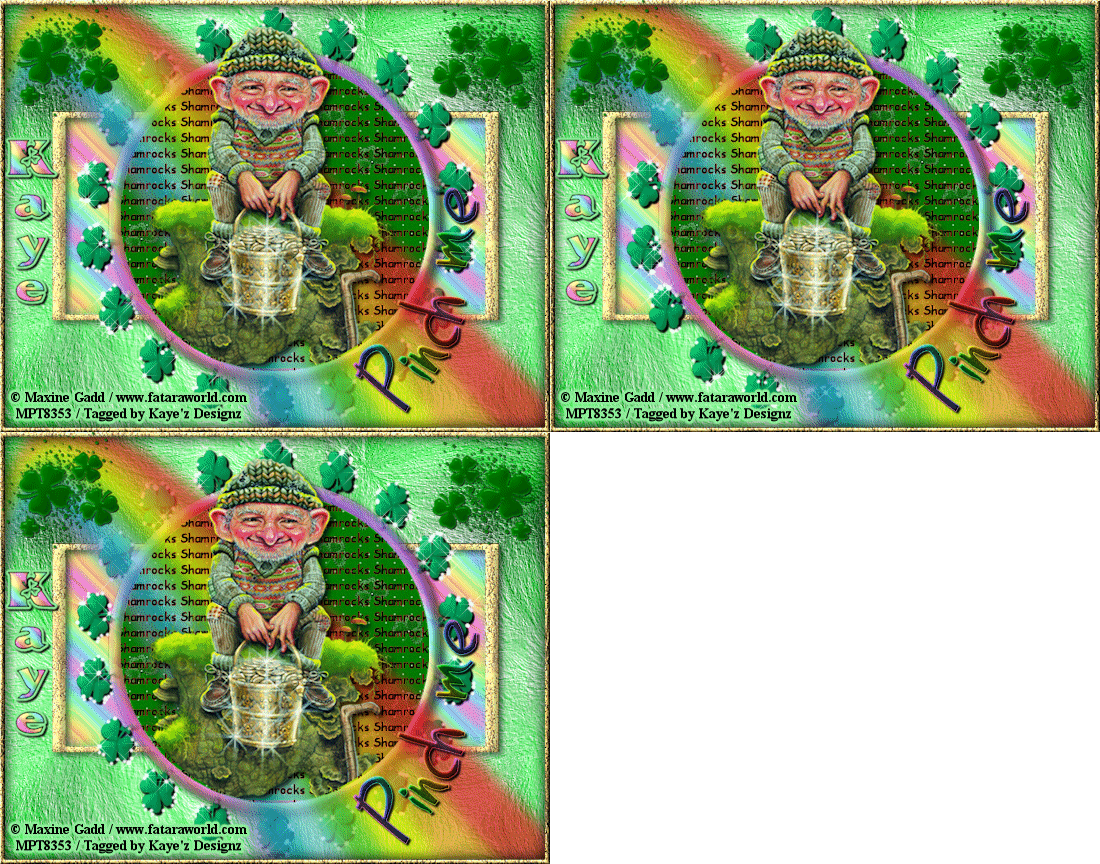
Shamrocks

Click for larger view

This tutorial was written by Sharon A on March 8, 2012
For more info read my TOU

Supplies Needed
FTU scrapkit Luck O The Irish by Teresa here


Template #76 by me here

Plugins
Xero Porcelain


The tube I used is Cowgirl 6 by Jose Cano, you can purchase this tube from PTE here


Open your template, shift D to duplicate & close original
Delete credit layer

Activate raster 5
Select all>float>defloat
Paste paper 9 into selection
Do Not Deselect

Paste your tube as a new layer, resize as needed
Invert your selection
Delete
Deselect
Apply Xero Porcelain Effect with these settings


Activate raster 1
Select all>float>defloat
Paste paper 12 into selection
Deselect

Activate the Shamrocks layer
Add inner bevel with these settings


Add drop shadow

Activate raster 2
Select all>float>defloat
Floodfill with a gold gradient, linear, angle 45, repeats 12
Add inner bevel, same settings as before
Deselect

Repeat on border & raster 4

Activate raster 3
Select all>float>defloat
Floodfill with a rainbow gradient, radial, angle 45, repeats 6
Effects>Artistic Effects>Enamel, I used the Blurred Green Line setting
Deselect

Paste shamrock bouquet as a new layer
Resize to 20%
Position upper left corner, add drop shadow
Duplicate & mirror

Paste rainbow 3 as a new layer
Move to below your tube layer
Add drop shadow

Paste WA Kiss Me I'm Irish
Resize to 50%
Postion over center of your tube
Add drop shadow

Resize all layers to 70%

Add your name & your © info

Merge all

Save as jpg & you're all done!

I hope you enjoyed my tutorial

I would love to post your © compliant result, just email it to me with the tut name in the subject line

:)


Result by Kaye W


Tuesday, June 7, 2011

Garv's St Patricks Party

Click for larger view

This tutorial was written by Sharon on Feb 26, 2011
For more information read my TOU

Supplies Needed
Scrapkit With A Little Luck here

You will need 3 tubes by 1 artist.  

The tubes I used are by Keith Garvey.  You will need a license to use which you can purcahse here

This is a full size kit so we are resizing papers before pasting them so they dont look distorted

Open paper 10, resize to 20%.  Copy and close

New transparent canvas 700x550, we will resize later
Select all
Paste your resized paper 10 into selection
Deselect

Paste your tubes as new layers
Resize if needed

Open paper 18
Resize to 20% and close

New layer
Select all
Paste your resized paper into selection
contract 10
Delete
Deselect
Apply inner bevel using bevel #3 width 1

Paste element 30 as a new layer
Resize to 20% and position bottom center

Paste element 28 as a new layer
Resize to 10% then again to 80%
Move below the fence layer
Duplicate & mirror

Paste element 41 as a new layer
Resize to 10%
Position left side of fence
Duplicate & mirror

Resize all layers to 75%

Add your © and name

Merge all layers

Save as jpg and you're done!

I hope you enjoyed my tutorial

I would love to post your result, just email it to me

:)

====================
Tut result sent in by Vickie
Thanks Vickie!