Showing posts with label Legends Art. Show all posts

Tuesday, August 30, 2011

Spoiled Princess

Click for larger view

This tutorial was written by Sharon on August 30, 2011
For more info read my TOU

Supplies Needed
Scrapkit Puppy Love by me here

Plugins
Mura Meister Copies

The tube I used is by Legends Art which I purchased from PTE here though his art work is now available here.  When I checked yesterday this tube was available there, it's called Yorkie Princess


Open new transparent canvas 700x350, we will resize later
Floodfill with a dark color from your tube

Paste your tube as a new layer
Resize to a small size but not too small.  For a regular sized tube maybe to around 30% or so

Apply mura meister copies, set on wallpaper rotate
You'll need to play with the top # until your tube covers most of your canvas
Merge down

Effects>Distortion>Wave
Default setting
Repeat

Distortion effects again
Twirl
Default setting

Gaussian blur
Radius 25

Paste your tube as a new layer
Resize as needed
Move to the right
Add drop shadow

Paste dog house as a new layer
Resize to 75%
Move to the left
Add drop shadow

Paste paw chain as a new layer
Resize to 45%
Position on left side of dog house
Add drop shadow

Paste bowl as a new layer
Resize to 40%
Position at bottom right of dog house
Add drop shadow

Paste bow as a new layer
Resize to 40%
Position in the peak of  the roof
Add drop shadow
Duplicate
Resize to 50%
Position on the dog's ponytail

Paste flower as a new layer
Resize to 25%
Position above bowl
Add drop shadow
Duplicate 3 times and place in various areas of your tag

Resize all layers to 75%

Add text onto dog house 

Add your name & your © info

Save as jpg & you're all done!

I hope you enjoyed my tutorial

I would love to post your © compliant result, just email it to me with the tut name in the subject line

:)


Tuesday, June 7, 2011

Lil Princess

Click for larger view

This tutorial was written by Sharon on Feb 24, 2011
For more information read my TOU

Supplies needed
Scrapkit Dogs & Cats by Monti here, thank you for a wonderful kit Monti
Template # 116 by me here

Plugins
Graphics Plus Cross Shadow
Xero Fritillary

The tube I  used is by Legends Art.  You will need a license to use which you can purchse here

(Note:  Aug 26, 2011 Legends Art is longer with PTE and I don't know where the artwork is being sold.  Try google).


Activate raster 1
Select all
Paste the paws print paper into selection
Deselect
Apply graphics plus cross shadow, default settings

Activate raster 3
Select all>float>defloat
Paste striped paper into selection
Deselect

Activate raster 5
Floodfill with a color from your tube
Apply xero fritillary effect, default settings changing the top & bottom #s to 8
Select all>float>defloat
Paste your tube as a new layer
Resize as needed
Invert your selection
Delete
Deselect

Activate the border layer
Floodfill with another color from your tube
Apply inner bevel using bevel #3 width 1
Apply graphics plus cross shadow, default settings

Repeat these steps for rasters 4 and 2

Paste Bling Bone as a new layer
Move to the right side, refer to my tag
Drop shadow

Paste Love Dog charm bling as a new layer
Resize to 65% and move to the left side
Drop shadow 

Paste dog bowl paw print as a new layer
Resize to 35%
Position, refer to my tag
Drop shadow
Duplicate & move to the same position on the right
(You can't mirror, it will show up backwards)

Paste one of the collars as a new layer
Resize to 25%
Position, refer to my tag
Drop shadow
Duplicate & mirror

Paste the paw bling as a new layer
Position as shown in my tag on the upper left
Rotate left 35
Duplicate & mirror
Merge down
Duplicate & flip
Merge down

Add your text

Resize all layers to 75%

Add your © info and name

Merge all

Save as jpg and you're all done!

I hope you enjoyed my tutorial

I would love to post your result, just email it to me

:)

===========================

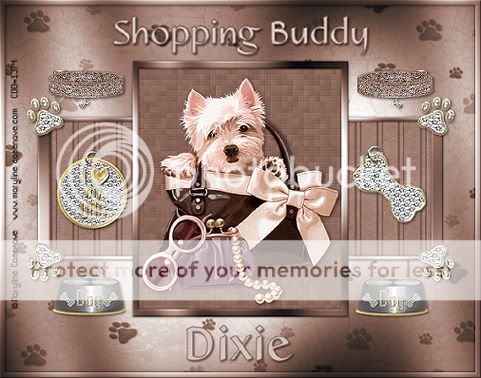
Result sent in by Dixie
Thank you Dixie!

Result sent in by Debbie W
Thanks Debbie!